An AI rotation can look convincing while showing the wrong product detail. The model sees the uploaded angle and infers what happens during the turn. That makes review part of creating a usable asset, especially for packaging, logos, jewellery, transparent products and asymmetric shapes.
Start by deciding what went wrong. A bent handle, an invented back label and a jump in the loop are different problems. Repeating the same generation without changing the input does not tell you which one you are solving.
Check the source before changing settings
Use one complete product against a simple background. Check that projecting parts are not cropped, the photo is sharp and strong shadows are not hiding the outline. Reflections, multiple overlapping items and tiny lettering can make the shape ambiguous.
Use the original photo where possible. Do not enlarge a small thumbnail and assume it now contains more detail. The source-photo preparation guide covers the practical changes worth making before another attempt.
If the shape changes during the turn
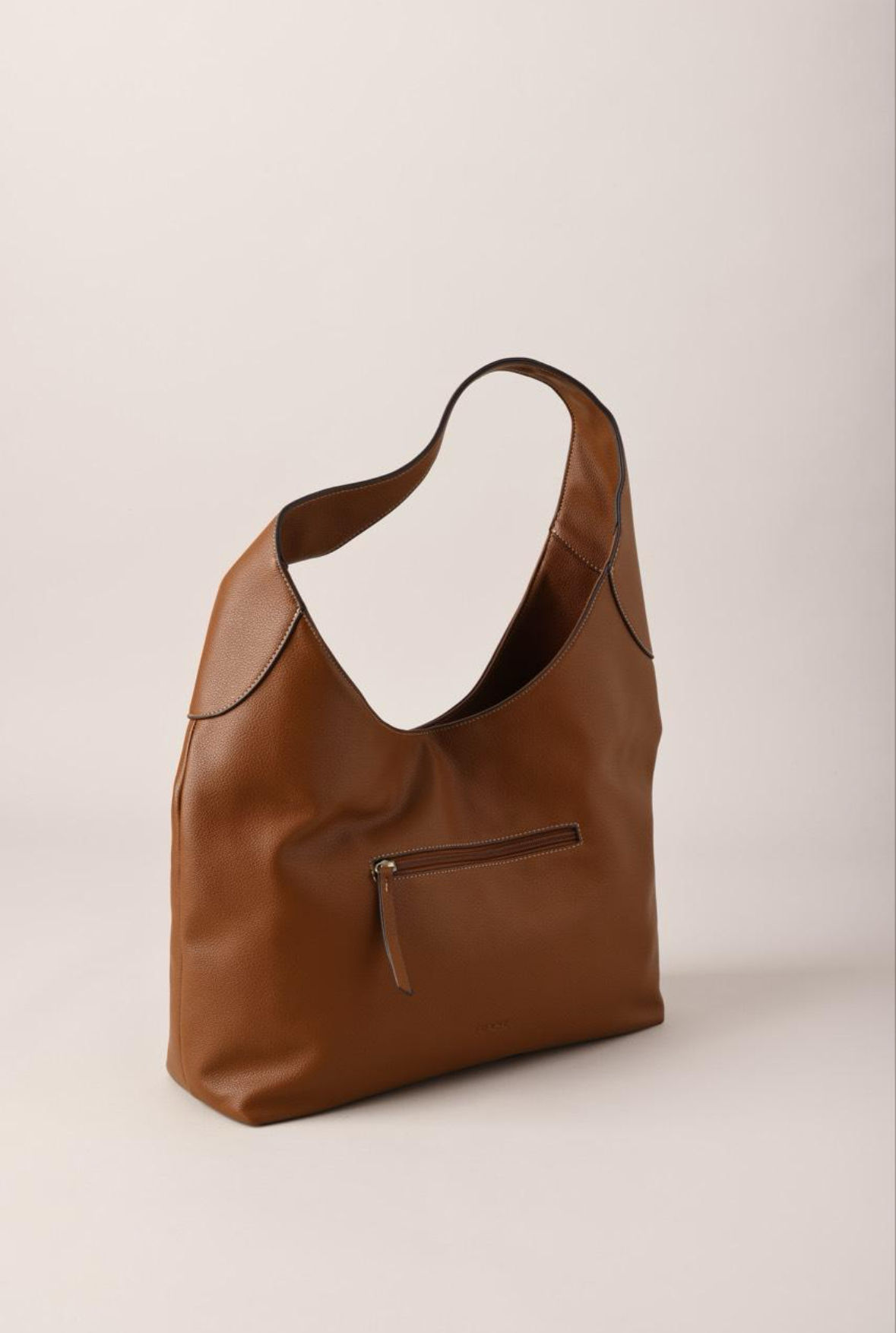
Watch the outline rather than the surface texture first. Does a bag gain a strap? Does a shoe's sole change thickness? Does one object become two? Compare the start, quarter turn, rear and final view.
Try a clearer source angle that exposes the important geometry and separates the product from its background. A modest three-quarter photo can reveal shape that a flat front view hides, but it cannot guarantee an accurate back. If a product is intrinsically difficult to infer, use real multi-angle media instead of presenting the generated shape as verified.
Source photo
Generated video · press play
Use the controls to inspect this existing bag example. Compare the silhouette with the real source photo. This is a review demonstration, not a documented failure or a promise about another product.
If text or a logo changes
Pause on every view where the mark appears. Check spelling, letter shape, placement and whether new text appears on a hidden side. A higher-resolution export can make a wrong logo sharper; it does not make it correct.
Use a clearer source if the original text is blurred or obscured. If exact back-panel information matters, show a real back photograph separately. Do not rely on an inferred ingredient list, safety mark, connector label or certification. Reject a video that communicates false product information.
If the rotation jumps or does not close
Watch the final second followed immediately by the opening second. Check for a change in scale, background, position or direction. These can make a loop jump even when the individual frames look acceptable.
For a returning spin, try the normal workflow without a separate end frame. An optional end frame guides the final view; it does not guarantee a seamless full circle. If you use one, choose the same physical product with compatible framing and lighting. A different crop or scale can create a new mismatch.
For a clip that will be played once, a clear start and finish can be enough. Do not label an incomplete turn as an exact 360 demonstration. The one-photo walkthrough explains how to select a deliverable for the actual placement.
Decide whether to retry
Change one useful thing at a time: the source photo, framing or an end-frame choice. Keep the earlier result so you can compare. More attempts can consume more credits, and a subscription is not unlimited rendering.
If the app offers a free retry for a generation it detects as clearly off, use that option. The offer is conditional and limited; it is not a promise that every result can be retried for free. If you need help with a bad generation, contact support with its generation reference and a short description of the incorrect detail.
Review before publishing
- Match the item count, silhouette, colour and major features to the real product.
- Read visible text and inspect logos at the size customers will see.
- Check hidden sides against real reference photos where available.
- Watch the whole clip and its loop join, not just the thumbnail.
- Keep real stills for specifications and details the generated clip cannot establish.
An AI video is unsuitable when your purchase decision depends on exact unseen geometry. Use photography or an appropriate 3D workflow instead. Our format comparison explains those options.
For products that fit this workflow, the AI image rotation page describes the output. Generate a preview, inspect it, then decide whether it is accurate enough for your listing.
Try it with your product photo
Make a 360 product spin video from one photo. Your first preview has a watermark; a subscription unlocks the clean download.